Chart of Accounts
Setting up your chart of accounts is done within two worksheets.
Account Groups
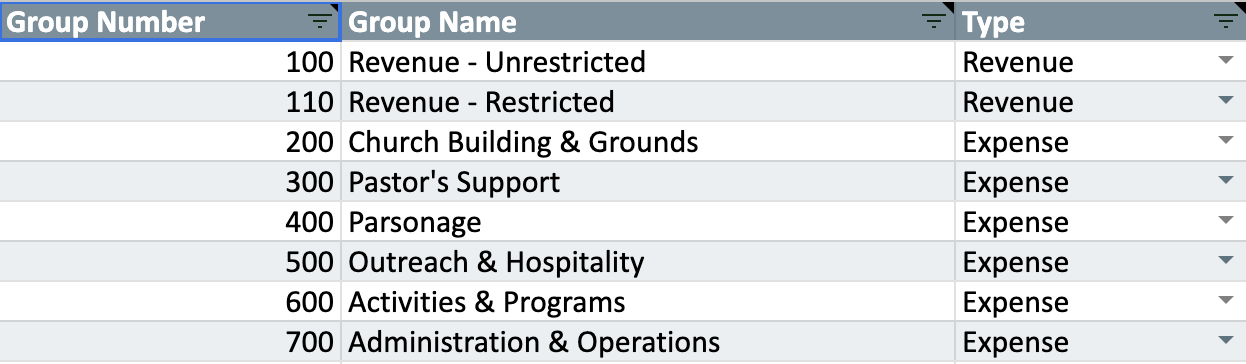
Go to the Account Groups worksheet. These will be used to generate summary reports.
Assign each a unique group number.
Enter the names of your account groups–which should describe the accounts that will be assigned to them.
Then, classify each as either a Revenue or Expense group using the dropdown menus in the Type column.
Accounts
Go to your Accounts/Budget worksheet.
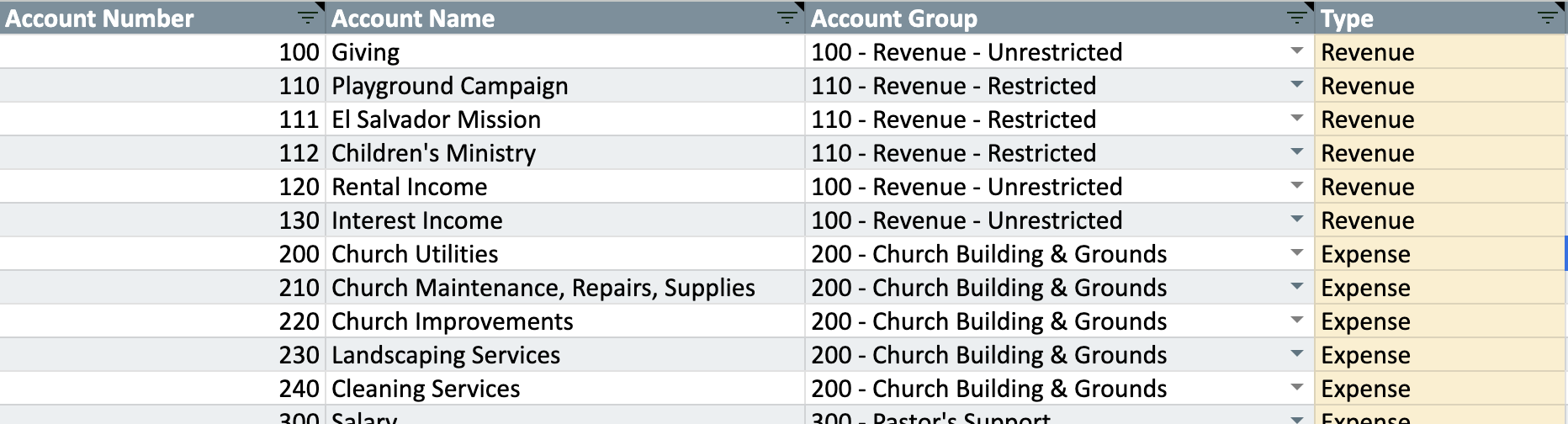
Assign each a unique account number.
Enter the names of your accounts.
Associate each account to their account group using the dropdown. Accounts will “roll up” to their related account groups in summary reports. This dropdown will only allow you to choose account groups entered in your Account Groups sheet.
Type will be automatically set when you choose an account group.
Confused? See the template with sample data. Look at how accounts are associated with account groups. Then look at some activity or budget reports.
